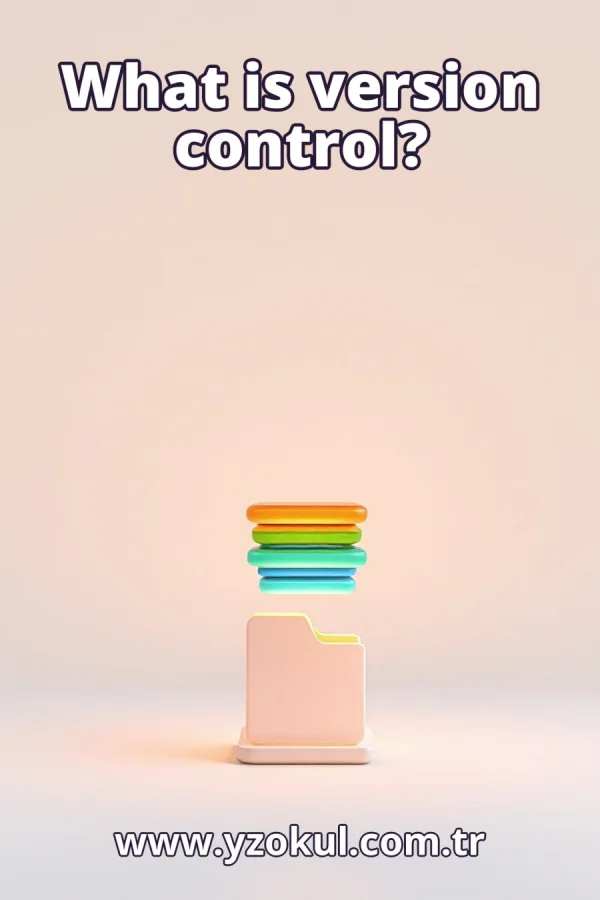
What is version control?
www.yzokul.com.tr
- Category AI Resources
- Format PDF
- Size 6.2 MB
- Added 01.11.2026
- Views 2
This beginner guide answers the question of what version control is. It follows a path from zero knowledge, explaining that version control records the history of changes made to files in an orderly way. Readers learn how this makes it possible to see who changed what, restore earlier versions when something breaks, and work together more easily. The book shows why this system provides better change tracking than simply keeping copies of files, making it a clear starting point for complete beginners.
Read the Book
If the PDF does not appear, open it in a new tab.
A Chapter from the Book
What is version control? www.yzokul.com.tr
You have likely heard the term version control and wondered what it means. The short answer: version control records the history of changes made to files in an orderly way. That one sentence holds the whole idea. It means every edit to your files is saved in order, so you can look back and see what happened. Keep this definition in mind as you read on. 1
Picture a file you care about, such as a report you are writing. After each editing session, the file looks a little different: words added, sentences removed, paragraphs rearranged. Files change over time as you work on them. Understanding that files keep changing is the starting point for tracking those changes. Without tracking, you cannot tell what changed or when. 2
Before learning version control, many people save old copies of a file. You might name them report_v1, report_v2, report_final, and so on. Each copy is a snapshot of the file at one moment. This simple habit keeps some history, but the folder quickly fills up. You end up with many files and little clarity about which one matters most. 3
Look at a pile of copies and ask yourself: which one is newest? What actually changed between report_v2 and report_final? Copies alone give no clear order and no record of what was different. You might open each file to compare, which takes time. You might forget which copy was the good one. The mess grows as the project grows. 4
Version control is a system that records each change to your files in order, like a diary of the project. Instead of a messy pile of copies, you get one organized history. Each time you save a change, the system notes it. You can then look back at any point. This replaces the guesswork of copies with a clear, ordered record. 5
Picture a list of saved changes, each with a short note and a time, lined up one after another. This ordered list is the history that version control keeps for you. Each entry is like a snapshot you can revisit. The most recent change sits at the top, and older ones follow below. You can scroll through this history to see how your project evolved. 6
Each recorded change also notes who made it and what they did. This answers the question of who changed what, which copies alone cannot tell you. If a sentence appeared in the report overnight, the history shows which person added it. If a line of code was removed, you can see who removed it and when. This record brings clarity to teamwork and to your own work. 7
Imagine a working program that breaks after a new change. With version control, you can compare the broken version with the previous recorded version. You see exactly what changed and can return to the earlier state if needed. This ability to go back is one of the most useful parts of version control. It turns a mistake into a problem you can fix. 8
Picture two versions of a file side by side with the differing lines highlighted. This is what comparing versions looks like. Seeing the difference helps you find what broke and decide what to keep. You can spot a missing line or an extra word at a glance. Comparison turns guesswork into a clear view of changes. 9
Imagine two people editing the same project at the same time. Each person records their changes in the shared history. Version control makes it easier for several people to work together without losing each other's work. One person's edits do not overwrite another's because the system tracks them separately. The team stays coordinated. 10
Everyone's changes land in the same ordered history instead of separate folders on separate computers. One shared record keeps the team's work in step. You can see what your colleague changed and when. You can combine your work with theirs. This shared view prevents confusion and duplication, making teamwork smoother than passing files around. 11
Compare the tidy history of version control with a folder of loose copies. The history has order, notes, and a record of who changed what. The copies have none of these. Version control gives more orderly change tracking than merely accumulating copies. It turns a jumble into a clear timeline. That order is the core benefit you gain. 12
A common mistake is thinking saved copies are the same as version control. Copies have no order, no notes, and no record of who changed what. You cannot easily compare two copies or know which is current. Version control solves these problems by keeping a structured history. Recognizing this mistake helps you see why the system exists. 13
Another worry is that a bad change will ruin everything. With version control, earlier states are recorded, so a bad change can be compared and undone. You are not stuck with a broken file. You can step back to a working version and try again. This safety net encourages you to experiment and improve without fear. 14
Draw the whole idea in one simple picture: your files at the bottom, a line of recorded changes rising upward, and an arrow pointing back to an earlier point. This ties together history, who changed what, restoring, and teamwork. The line shows the ordered record. The arrow shows you can step back. Keep this picture in mind.
This section is a preview taken from the book (about 910 words). To continue, read the book or download the PDF.
Book Details
- Book
- What is version control?
- Author
- www.yzokul.com.tr
- Category
- AI Resources
- Language
- English
- Format
- PDF · 6.2 MB
- Pages
- 18
- Words
- about 972
- Published
- kaynak.yzokul.com.tr · 01.11.2026
- Access
- Free to read and download; for personal use only, all rights belong to the author.
Frequently Asked Questions
Is the PDF of What is version control? free?
Yes. What is version control? can be read and downloaded for free on this site; no sign-up or payment is required.
How many pages is What is version control??
What is version control? has 18 pages and about 972 words.
Which devices can I read What is version control? on?
It is a PDF; you can read it in your browser on a phone, tablet or computer, or download it and open it offline.
Who is the author of What is version control??
What is version control? was written by www.yzokul.com.tr; it is listed in the AI Resources category.