How does artificial intelligence divide data into groups?
www.yzokul.com.tr
- Category AI Resources
- Format PDF
- Size 7.7 MB
- Added 01.11.2026
- Views 2
This book answers the question of how artificial intelligence divides data into groups. It follows a beginner-friendly path, starting from zero and explaining clustering, a method that groups examples by similarity. Using songs as an example, it shows how items with similar rhythm, duration, or sound features end up in the same group, even though the system is not told the group names in advance. It also explains that people check whether the resulting groups make sense, and that changing the features or the similarity measure can change the groups.
Read the Book
If the PDF does not appear, open it in a new tab.
A Chapter from the Book
How does artificial intelligence divide data into groups? www.yzokul.com.tr
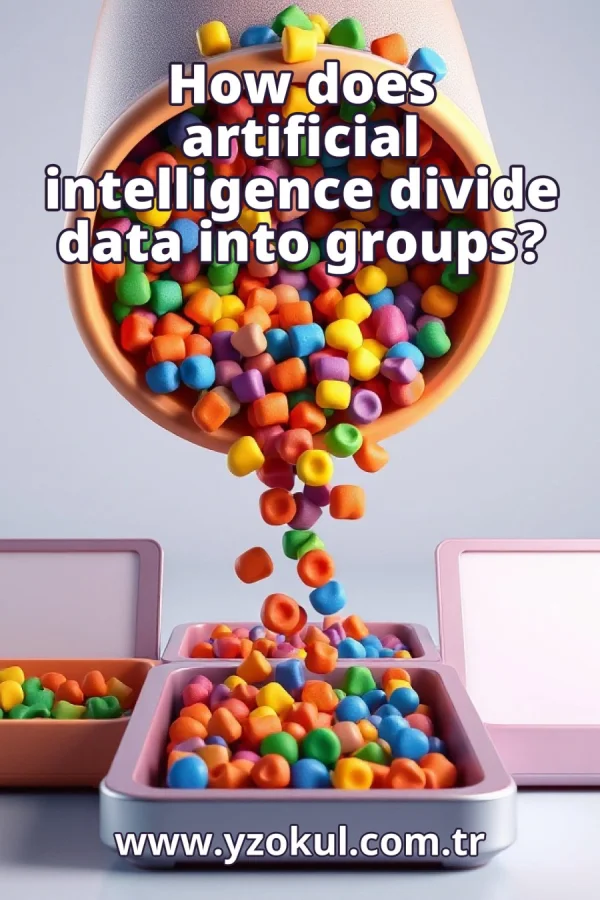
How does artificial intelligence divide data into groups? The short answer is that it uses a method called clustering, which puts similar examples together. Clustering is a way for a computer to find natural groups in data without being told what the groups are. For example, given a list of songs, clustering can group songs that sound alike. This book explains clustering step by step, starting from zero. 1
A group is simply a collection of things that belong together. Before any computer is involved, you already understand what it means for items to be gathered into one pile. Think of sorting laundry into piles of similar colors, or grouping books by topic on a shelf. The idea is to put things that share something into the same collection. 2
Similar things belong together because we group things by how alike they are. Two items that share many traits end up in the same group, and different ones stay apart. For example, apples and oranges are both fruits, so they might go in one group, while carrots go in a vegetable group. The more traits two items share, the more likely they are to be grouped together. 3
Meet the song example: imagine a large pile of songs as the data to be sorted. Each song is one example, and the goal is to place similar songs into the same group. The songs are not labeled with genres or moods; they are just a collection of audio files. Clustering will help find groups of songs that share similar characteristics. 4
Features describe each song. A feature is a measurable detail about an example, such as rhythm, duration, and sound qualities. For each song, you can measure its tempo in beats per minute, its length in seconds, and its average loudness. These numbers together form a feature vector, which is a list of values that describes the song. The system uses these features to compare songs. 5
Measuring similarity means checking how close two songs' features are. A similarity measure is just a rule for deciding how alike two examples are. For instance, you could compare the difference in tempo and duration between two songs; smaller differences mean higher similarity. One common measure is Euclidean distance, which treats features as coordinates and computes the straight-line distance between them. The closer the features, the more similar the songs. 6
Clustering puts examples together by grouping those that are close according to the similarity measure. Songs with similar rhythm, duration, or sound features land in the same cluster. The clustering algorithm repeatedly compares examples and assigns them to groups so that items within a group are more similar to each other than to items in other groups. For example, fast, loud songs might form one cluster, while slow, quiet songs form another. 7
No names are given in advance. The system is not told the group names beforehand; it only sees the features and the similarity rule. It discovers the groups by itself by finding patterns in the feature values. For instance, it might find a cluster of songs with similar tempo and energy without knowing that people call that cluster rock music. The names come later, if at all. 8
A picture of the clusters helps: imagine the songs placed on a map where close songs sit near each other. Each song is a point, and the distance between points reflects how similar the songs are. The clusters appear as dense clumps of points that are near one another, separated by sparser regions. This map is not a real place but a way to visualize the feature space. 9
People check the groups after clustering. They look at the resulting groups and ask whether they make sense. A group of similar songs is useful only if it means something to humans, such as a group that sounds like jazz or a group of dance tracks. People might listen to samples from each cluster and decide if the grouping is meaningful for their purpose. 10
Changing features changes groups. If you describe songs with different features, the groups can come out differently. For example, using only tempo might group songs by speed, while using only loudness might group them by energy. The features you choose shape what counts as similar, so selecting relevant features is important for getting useful clusters. 11
Changing similarity changes groups. Switching the similarity measure can also rearrange the groups. The same songs may cluster one way under one rule and another way under a different rule. For instance, using Euclidean distance versus cosine similarity can lead to different groupings because they emphasize different aspects of the feature values. The choice of measure affects the outcome. 12
Common mistake: names first. It is not true that the system must be told the group names in advance. Clustering finds groups without labels, and names are only added later by people. The algorithm works purely from the features and the similarity measure, discovering structure on its own. Labels are not required for clustering to work. 13
Common mistake: one right answer. There is no single correct grouping. Because features and similarity measures can change, the structure of the groups can change too. Different choices can produce different but still valid clusters, depending on what you want to achieve. Clustering is exploratory, and multiple groupings may be useful.
This section is a preview taken from the book (about 905 words). To continue, read the book or download the PDF.
Book Details
- Book
- How does artificial intelligence divide data into groups?
- Author
- www.yzokul.com.tr
- Category
- AI Resources
- Language
- English
- Format
- PDF · 7.7 MB
- Pages
- 18
- Words
- about 1,018
- Published
- kaynak.yzokul.com.tr · 01.11.2026
- Access
- Free to read and download; for personal use only, all rights belong to the author.
Frequently Asked Questions
Is the PDF of How does artificial intelligence divide data into groups? free?
Yes. How does artificial intelligence divide data into groups? can be read and downloaded for free on this site; no sign-up or payment is required.
How many pages is How does artificial intelligence divide data into groups??
How does artificial intelligence divide data into groups? has 18 pages and about 1,018 words.
Which devices can I read How does artificial intelligence divide data into groups? on?
It is a PDF; you can read it in your browser on a phone, tablet or computer, or download it and open it offline.
Who is the author of How does artificial intelligence divide data into groups??
How does artificial intelligence divide data into groups? was written by www.yzokul.com.tr; it is listed in the AI Resources category.