
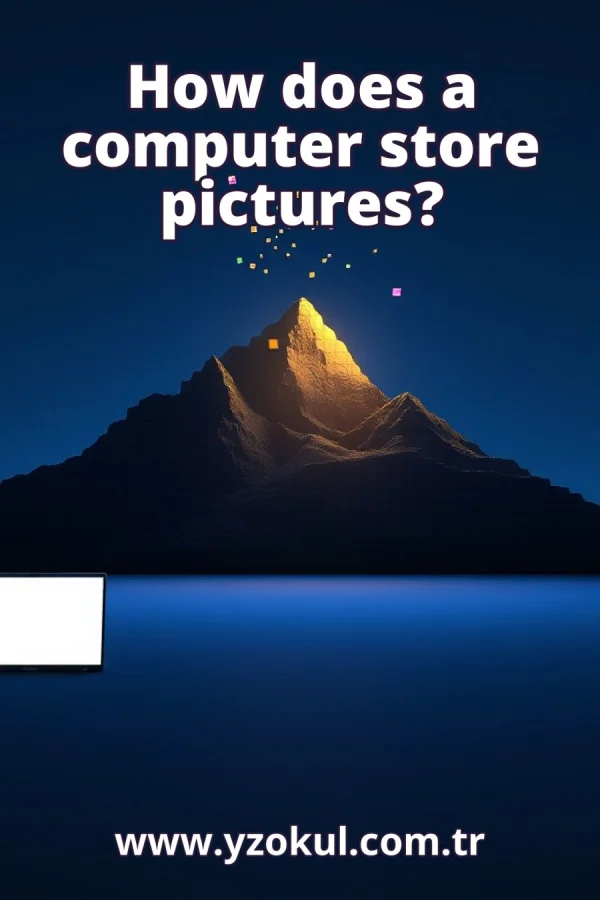
How does a computer store pictures?
www.yzokul.com.tr
- Category AI Resources
- Format PDF
- Size 7.0 MB
- Added 01.11.2026
- Views 2
This book answers the question of how a computer stores pictures. It starts from zero and explains that many digital pictures are made of tiny colored dots called pixels, each carrying color information. These pixels sit in rows and columns, like squares in a grid. The book then shows how an image file format saves the pixels and the picture size, how compression makes files smaller, and how vector images store lines and shapes instead of pixels.
Read the Book
If the PDF does not appear, open it in a new tab.
A Chapter from the Book
How does a computer store pictures? www.yzokul.com.tr
A computer stores a picture by saving it as numbers in a file. Most digital pictures are made of tiny colored dots called pixels. The computer records the color of each pixel as numbers and writes them into the file. When you open the file, the computer reads the numbers and shows the picture again. 1
Look closely at a digital picture on a screen, and you see it is built from many tiny dots. Each dot shows one small piece of the whole picture. Together, all the dots form the complete image. The more dots there are, the smoother and clearer the picture looks. These dots are the basic building blocks of the picture. 2
These tiny dots are called pixels. A pixel is the smallest single point of color in a digital picture. The word comes from 'picture element'. Every digital picture you see on a screen is made of a grid of pixels. When you zoom in very far, you can see the individual pixels as small squares of color. 3
Every pixel carries one color. The computer records that color as numbers so it can save the color and later show it again. A common way to record color is with three numbers: one for red, one for green, and one for blue. By mixing different amounts of these three colors, the computer can create millions of different colors for each pixel. 4
Pixels are arranged in rows and columns, like squares in a grid. Each pixel has a fixed place in this grid. The rows go across, and the columns go down. This orderly arrangement lets the computer know exactly where each pixel belongs. The position of a pixel in the grid is as important as its color. 5
Picture a small image as a grid of colored squares. Where each square sits and what color it is together make the picture. For example, a 3 by 3 grid has 9 squares. If you color them in a certain pattern, you get a simple picture. The computer stores the color of each square in the grid, row by row. 6
A picture's size is described by how many pixels wide and how many pixels tall it is. This tells the computer the shape of the grid. For example, a picture that is 100 pixels wide and 50 pixels tall has 5,000 pixels in total. The width and height are essential for rebuilding the picture correctly. 7
The image file stores the color of every pixel. When the computer opens the file, it reads these colors and rebuilds the picture. The file contains a long list of numbers, one for each pixel's color. The computer goes through the list and places each color in the right spot on the grid. This is how the picture appears on your screen. 8
The file also stores information like the picture's width and height. Without this, the computer would not know how to arrange the pixels. The width and height tell the computer how many pixels to put in each row and how many rows there are. This information is usually saved at the beginning of the file, before the pixel colors. 9
Pictures are saved in a specific file format, which is a set way of writing the pixels and size into the file. The format lets other programs read the picture correctly. Common formats include JPEG, PNG, and GIF. Each format has its own rules for how to store the numbers. As long as a program knows the format, it can open the picture. 10
A bigger or sharper picture needs many more pixels. More pixels mean more numbers to store, so the file gets larger. For example, a photo from a modern camera can have millions of pixels. Storing the color of each pixel takes a lot of space. That is why large pictures can be several megabytes in size. 11
Compression is a way to make picture files smaller. It stores the same picture using fewer numbers so it takes less space. Some compression methods lose a little detail to save more space, while others keep all the details. For example, JPEG files use compression to shrink photos, making them easier to store and share. 12
Some pictures, called vector images, are not stored as pixels. Instead, they store definitions of lines and shapes, which the computer draws. For example, a vector image of a circle stores the center point and the radius. The computer uses these instructions to draw the circle at any size without losing quality. This is different from pixel-based images. 13
A pixel is not a fixed physical size; it is one dot in the picture's grid. Its real size depends on the screen or print. On a large screen, a pixel might be bigger; on a small screen, it might be tiny. The same picture can look different sizes on different devices, but the number of pixels stays the same. 14
Not every picture file is made of pixels. Vector images store lines and shapes instead, so not all pictures work the same way. Pixel-based images are good for photos with many colors, while vector images are good for logos and diagrams that need to scale cleanly. Knowing the difference helps you choose the right format. 15
A computer stores most pictures as pixels with colors, plus the picture size, in a specific file format. Compression shrinks files by storing the same picture with fewer numbers. Vector images store lines and shapes instead of pixels. Remember that pixels are the tiny dots that make up the picture, and their arrangement and colors create the image you see.
This section is a preview taken from the book (about 954 words). To continue, read the book or download the PDF.
Book Details
- Book
- How does a computer store pictures?
- Author
- www.yzokul.com.tr
- Category
- AI Resources
- Language
- English
- Format
- PDF · 7.0 MB
- Pages
- 18
- Words
- about 955
- Published
- kaynak.yzokul.com.tr · 01.11.2026
- Access
- Free to read and download; for personal use only, all rights belong to the author.
Frequently Asked Questions
Is the PDF of How does a computer store pictures? free?
Yes. How does a computer store pictures? can be read and downloaded for free on this site; no sign-up or payment is required.
How many pages is How does a computer store pictures??
How does a computer store pictures? has 18 pages and about 955 words.
Which devices can I read How does a computer store pictures? on?
It is a PDF; you can read it in your browser on a phone, tablet or computer, or download it and open it offline.
Who is the author of How does a computer store pictures??
How does a computer store pictures? was written by www.yzokul.com.tr; it is listed in the AI Resources category.
Similar Books
 What is simulation?
www.yzokul.com.tr
What is simulation?
www.yzokul.com.tr
 What is the difference between a microcontroller and a normal computer?
www.yzokul.com.tr
What is the difference between a microcontroller and a normal computer?
www.yzokul.com.tr
 What is a microcontroller?
www.yzokul.com.tr
What is a microcontroller?
www.yzokul.com.tr
 How does a program get information from the user?
www.yzokul.com.tr
How does a program get information from the user?
www.yzokul.com.tr
 How does two-step verification work?
www.yzokul.com.tr
How does two-step verification work?
www.yzokul.com.tr
 What is the difference between a hash function and encryption?
www.yzokul.com.tr
What is the difference between a hash function and encryption?
www.yzokul.com.tr