
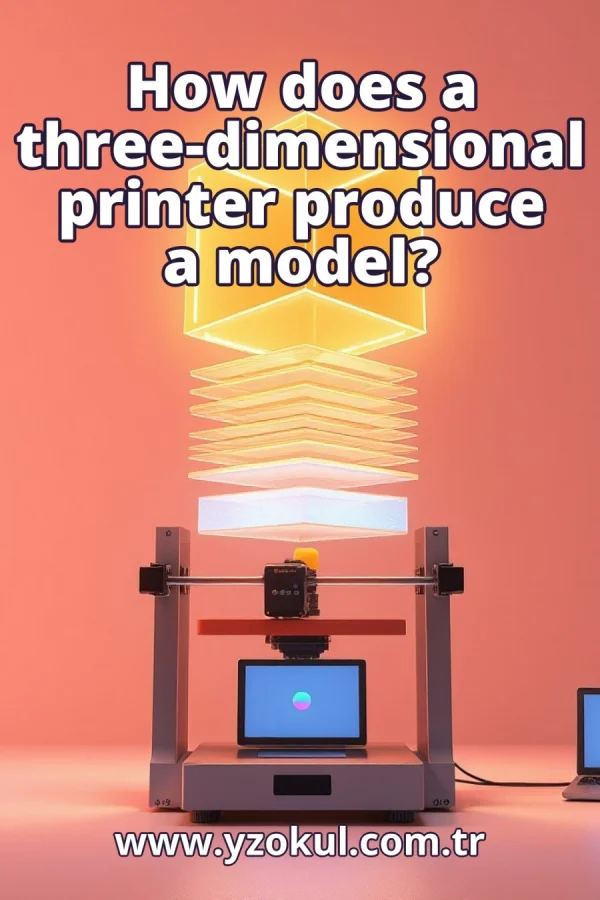
How does a three-dimensional printer produce a model?
www.yzokul.com.tr
- Category AI Resources
- Format PDF
- Size 7.4 MB
- Added 01.11.2026
- Views 2
This book answers the question of how a three-dimensional printer produces a model. It follows a clear path from start to finish, beginning with how a 3D model is converted into layer and movement information through a process called slicing. It then explains how printers build the object layer by layer, for example by using melted plastic. It also shows how support structures, material choice, and print settings affect print quality. Everything is explained from zero for complete beginners, with no prior knowledge needed.
Read the Book
If the PDF does not appear, open it in a new tab.
A Chapter from the Book
How does a threedimensional printer produce a model? www.yzokul.com.tr
You may wonder how a three-dimensional printer produces a model. The short answer is that a computer file is turned into thin layers, and the printer builds the object layer by layer. The printer does not see the whole shape at once; it follows instructions for each thin slice. This book explains that path step by step, from file to finished object. 1
Everything begins with a 3D model, a digital description of the object's shape. This model exists as a file on a computer before any printing happens. You can create it with design software or download it. Without a 3D model, the printer has nothing to build. The model defines the outer surface and size of the object you want. 2
The model is sliced into many thin horizontal layers, like slices of bread. Each slice is a flat outline of the object at that height. Slicing software does this automatically, turning a solid shape into a stack of flat shapes. The thinner the layers, the more slices there are. Each slice tells the printer where to put material at that height. 3
Slicing software turns the layers into movement and layer information the printer can apply. This instruction file tells the printer where to go and what to do. It includes the path for each layer and settings like speed and temperature. The printer cannot read the original 3D model file directly. The instruction file is the bridge between the digital model and the physical machine. 4
The printer receives this instruction file and follows it step by step. It does not see the whole object, only one layer at a time. The file tells the printer exactly where to move and when to deposit or solidify material. The printer executes these commands in order, building the object without needing to understand its overall shape. This is why the instruction file must be correct. 5
The core idea is that the printer accumulates or solidifies material one thin layer on top of another. Slowly, the flat layers stack up into a solid object. Each layer is a flat outline that becomes a thin slice of the final shape. When all layers are complete, the object is finished. This layer-by-layer approach is what makes 3D printing possible. 6
One common example is melted plastic. The printer pushes out melted plastic along each layer's path. The plastic cools and hardens, and the next layer is added on top. This method is called fused deposition modeling (FDM). The plastic is heated until it flows, then deposited in thin lines that bond together. Many desktop 3D printers work this way. 7
Printing usually starts at the bottom layer and works upward. Each new layer rests on the one below it. The first layer must stick well to the build platform. If the bottom is uneven, the layers above may also be uneven. Working from bottom to top ensures that each layer has a solid foundation. This is why the first layer is so important. 8
Overhanging or floating parts need support structures to hold them while printing. These supports are removed after the print is finished. Without supports, overhangs may sag or fail because there is nothing beneath them. The slicing software adds supports automatically where needed. You can usually adjust support settings, but they are a planned part of the print. 9
The material used affects how the model turns out. Different materials behave differently when melted, cooled, or solidified. For example, some plastics cool quickly and hold their shape, while others may warp. The choice of material also affects strength and surface finish. You should pick a material that suits your object's purpose and the printer's capabilities. 10
Settings like layer thickness and speed change the quality of the result. Thinner layers usually give a smoother surface but take longer. Faster printing can reduce quality or cause errors. Other settings, such as temperature and infill density, also matter. Adjusting these settings lets you balance speed, strength, and appearance. Good settings are key to a good print. 11
The model's shape, its supports, the material, and the settings all work together. Each one influences the final quality of the printed object. A complex shape may need more supports. A certain material may require specific temperatures. Settings must match the material and the desired outcome. No single factor works alone; they must be balanced. 12
A common mistake is thinking the printer designs the shape by itself. The printer does not invent the shape; the slicing step and the instruction file decide what gets printed. The printer only follows instructions. If the model or slicing is wrong, the print will be wrong. You must prepare the model and slicing carefully before printing. 13
Another common mistake is skipping support structures. Ignoring support structures can make overhangs fail or sag. Supports are a planned part of the print, not an extra. They hold up parts that would otherwise have nothing beneath them. Always check if your model needs supports and enable them in the slicing software. Removing them later is easier than fixing a failed print. 14
You might think any settings will do, but that is not true. Poor settings or the wrong material can spoil an otherwise good model. For example, too high a temperature may cause stringing, while too low a temperature may cause weak layers. Settings must be chosen for the material and the object. Taking time to adjust settings improves the final result.
This section is a preview taken from the book (about 925 words). To continue, read the book or download the PDF.
Book Details
- Book
- How does a three-dimensional printer produce a model?
- Author
- www.yzokul.com.tr
- Category
- AI Resources
- Language
- English
- Format
- PDF · 7.4 MB
- Pages
- 18
- Words
- about 985
- Published
- kaynak.yzokul.com.tr · 01.11.2026
- Access
- Free to read and download; for personal use only, all rights belong to the author.
Frequently Asked Questions
Is the PDF of How does a three-dimensional printer produce a model? free?
Yes. How does a three-dimensional printer produce a model? can be read and downloaded for free on this site; no sign-up or payment is required.
How many pages is How does a three-dimensional printer produce a model??
How does a three-dimensional printer produce a model? has 18 pages and about 985 words.
Which devices can I read How does a three-dimensional printer produce a model? on?
It is a PDF; you can read it in your browser on a phone, tablet or computer, or download it and open it offline.
Who is the author of How does a three-dimensional printer produce a model??
How does a three-dimensional printer produce a model? was written by www.yzokul.com.tr; it is listed in the AI Resources category.
Similar Books
 What is artificial intelligence?
www.yzokul.com.tr
What is artificial intelligence?
www.yzokul.com.tr
 How does an app idea turn into a working program?
www.yzokul.com.tr
How does an app idea turn into a working program?
www.yzokul.com.tr
 What is simulation?
www.yzokul.com.tr
What is simulation?
www.yzokul.com.tr
 What is the difference between a microcontroller and a normal computer?
www.yzokul.com.tr
What is the difference between a microcontroller and a normal computer?
www.yzokul.com.tr
 What is a microcontroller?
www.yzokul.com.tr
What is a microcontroller?
www.yzokul.com.tr
 How do you make a simple calculator with code?
www.yzokul.com.tr
How do you make a simple calculator with code?
www.yzokul.com.tr