
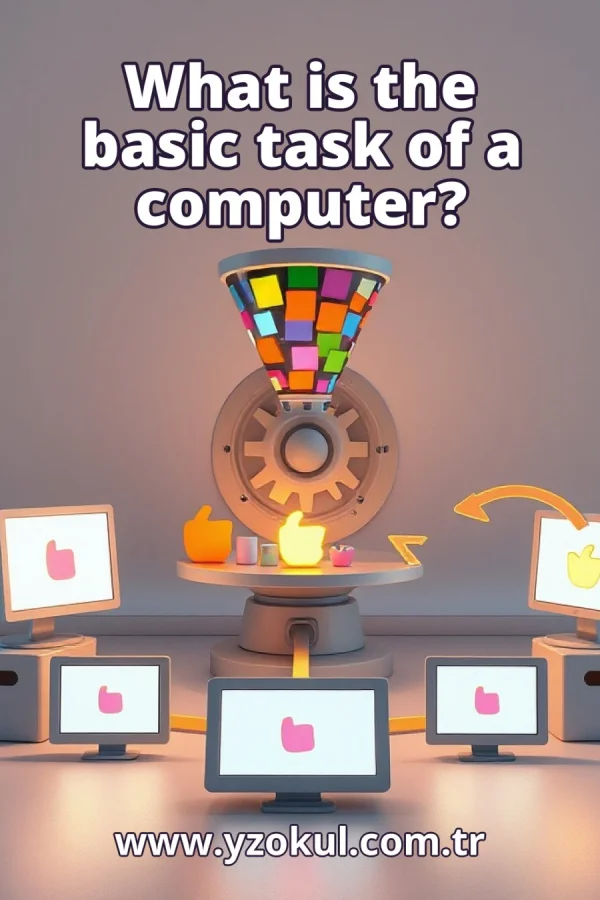
What is the basic task of a computer?
www.yzokul.com.tr
- Category AI Resources
- Format PDF
- Size 7.5 MB
- Added 01.11.2026
- Views 2
This book answers the question of what a computer's basic task is. It follows a beginner-friendly path that explains the full cycle from zero: a computer takes in data, works on it through defined steps, saves it when needed, and gives back results. A typed word appearing on screen shows this cycle simply. It also explains that input, processing, storage, and output each use different hardware and software parts, and that being programmable is why one computer can do many different tasks.
Read the Book
If the PDF does not appear, open it in a new tab.
A Chapter from the Book
What is the basic task of a computer? www.yzokul.com.tr
The basic task of a computer is a four-part cycle: it takes in data, works on that data, saves it if needed, and gives back results. Data is just information, such as letters, numbers, or pictures. The computer receives this information, follows steps to change or use it, keeps it for later, and then shows or sends out what it produced. This cycle repeats again and again. 1
Data is simply information. It can be letters you type, numbers you enter, a picture you take, or a sound you record. Before a computer can do anything useful, it must receive this information. Think of data as the raw material the computer works with, like ingredients before cooking. Without data coming in, the computer has nothing to work on. 2
Input means getting data into the computer. Typing on a keyboard is one simple way to put data in. Clicking a mouse, tapping a touchscreen, or speaking into a microphone are other ways. Each of these actions sends information from the outside world into the machine. Input is the first part of the cycle, and it must happen before any work can begin. 3
Processing means the computer follows defined steps to change or use the data. Defined steps are exact instructions, like a recipe, that say what to do first, next, and last. The computer carries out these steps on the data it received. This is the work part of what a computer does. For example, it might add two numbers or rearrange letters into a word. 4
Storage means keeping data so it can be used again later. A computer saves information when it does not need it right away. It might keep a file on a hard drive or in memory until you open it again. Storage lets you stop working and come back later without losing what you did. Without storage, everything would be forgotten the moment the power turned off. 5
Output means the computer shows or sends out the results of its work. A screen showing text is one example of output. A printer making a page, speakers playing sound, or a file being sent over a network are other examples. Output is how the computer communicates back to you what it has done with the data. It is the final part of the cycle. 6
Put the four parts together in order: input, then processing, then storage, then output. This cycle is the basic task of a computer, and it repeats again and again. Data comes in, the computer works on it, saves it when needed, and gives back results. Each turn of the cycle may take a tiny fraction of a second or much longer, depending on the task. 7
Follow one simple example from start to finish. You press a key on the keyboard, which sends a letter into the computer as input. The computer processes that letter, following steps to place it correctly. It stores the letter in memory so it is not lost. Finally, the word appears on the screen as output. That whole cycle happened in an instant. 8
Separate hardware parts handle input, processing, storage, and output. Hardware means the physical pieces you can touch. The keyboard handles input, the processor handles processing, the storage drive keeps data, and the screen handles output. Each part does its own job, and together they complete the cycle. No single piece does everything alone. 9
Software tells the hardware what steps to follow. Software means the instructions, or programs, that run on the machine. Without software, the parts would not know what to do with the data. The software says things like take this letter, place it here, and show it there. It is the set of directions that makes the hardware useful. 10
Hardware and software work as a team. The hardware does the physical work, such as pressing keys, running electricity through circuits, and lighting up pixels. The software gives the instructions that tell the hardware what to do and when. Neither is enough alone: a processor without instructions does nothing, and instructions without a processor cannot run. Together they carry out the cycle. 11
A computer is programmable, meaning it can follow different sets of instructions. This is why the same device can do many different tasks. You are not stuck with one job forever. Change the software, and the machine follows a new set of steps. That ability to be reprogrammed is what makes a computer so useful and flexible. 12
With different software, one computer can play a game or do math. The machine stays the same; only the instructions change. When you open a game, the software tells the hardware how to draw pictures and respond to your clicks. When you open a calculator, different software tells the same hardware to add and subtract. Same parts, different steps. 13
A common mistake is to think a computer thinks or understands like a person. It does not. A computer only follows the defined steps it is given, quickly and exactly. It has no feelings, opinions, or awareness of what the data means. When it seems smart, it is because the instructions were carefully written, not because it understands. 14
Another mistake is to think only one part matters. No single part does everything alone. Input, processing, storage, and output all depend on each other. Without input, there is no data. Without processing, nothing changes. Without storage, work is lost. Without output, you never see results. The cycle only works when every part plays its role.
This section is a preview taken from the book (about 938 words). To continue, read the book or download the PDF.
Book Details
- Book
- What is the basic task of a computer?
- Author
- www.yzokul.com.tr
- Category
- AI Resources
- Language
- English
- Format
- PDF · 7.5 MB
- Pages
- 18
- Words
- about 997
- Published
- kaynak.yzokul.com.tr · 01.11.2026
- Access
- Free to read and download; for personal use only, all rights belong to the author.
Frequently Asked Questions
Is the PDF of What is the basic task of a computer? free?
Yes. What is the basic task of a computer? can be read and downloaded for free on this site; no sign-up or payment is required.
How many pages is What is the basic task of a computer??
What is the basic task of a computer? has 18 pages and about 997 words.
Which devices can I read What is the basic task of a computer? on?
It is a PDF; you can read it in your browser on a phone, tablet or computer, or download it and open it offline.
Who is the author of What is the basic task of a computer??
What is the basic task of a computer? was written by www.yzokul.com.tr; it is listed in the AI Resources category.
Similar Books
 What is simulation?
www.yzokul.com.tr
What is simulation?
www.yzokul.com.tr
 What is the difference between a microcontroller and a normal computer?
www.yzokul.com.tr
What is the difference between a microcontroller and a normal computer?
www.yzokul.com.tr
 What is a microcontroller?
www.yzokul.com.tr
What is a microcontroller?
www.yzokul.com.tr
 How does a program get information from the user?
www.yzokul.com.tr
How does a program get information from the user?
www.yzokul.com.tr
 How does two-step verification work?
www.yzokul.com.tr
How does two-step verification work?
www.yzokul.com.tr
 What is the difference between a hash function and encryption?
www.yzokul.com.tr
What is the difference between a hash function and encryption?
www.yzokul.com.tr