
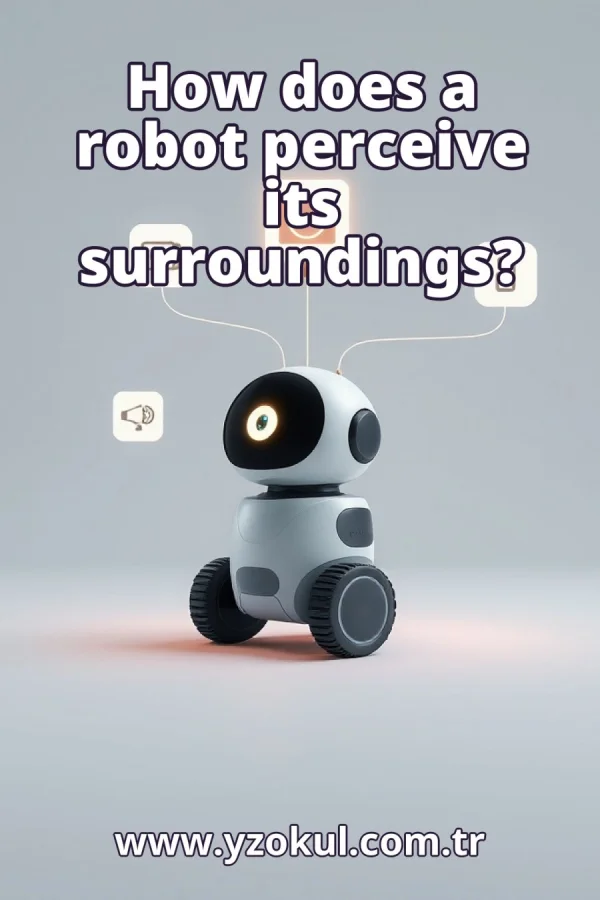
How does a robot perceive its surroundings?
www.yzokul.com.tr
- Category AI Resources
- Format PDF
- Size 6.2 MB
- Added 01.11.2026
- Views 2
This book answers the question of how a robot perceives its surroundings. It follows a beginner-friendly path, starting from zero. The robot gathers data from robot sensors such as a camera, a distance meter, and a touch sensor. The software then processes these measurements to extract useful information, like how far away an obstacle is. The book also explains that sensors are imperfect and can produce sensor noise and measurement errors, and that combining several sources can reduce some of these uncertainties.
Read the Book
If the PDF does not appear, open it in a new tab.
A Chapter from the Book
How does a robot perceive its surroundings? www.yzokul.com.tr
You read the question: how does a robot perceive its surroundings? The short answer is that sensors collect data and software turns that data into useful information. Perception starts with measurements, not with understanding. For example, a robot in a room gathers numbers and images before it can know what is around it. 1
Perceiving means finding out what is around the robot. The robot does not see or feel like a person; it only gets measurements. These measurements are its only link to the outside world. For example, a robot does not see a chair as a chair; it receives numbers that may indicate an object at a certain distance. 2
A robot needs sensors to learn anything about the world. Without sensors it has no data at all about its surroundings. Sensors are the hardware parts that detect things like light, distance, or contact. For example, a robot without any sensors cannot tell whether a wall is near or far; it has no information to work with. 3
A camera sensor captures a picture of what is in front of the robot. The picture is just data, not understanding yet. It is a grid of tiny color values that the software can read. For example, a camera might record a bright rectangle ahead, but the robot does not yet know it is a door until the software processes the image. 4
A distance meter sends out a signal and measures how long it takes to come back. This gives a number for how far away something is. The signal could be sound or light, and the time delay tells the distance. For example, if the signal returns quickly, the robot knows an obstacle is close; a longer delay means it is farther away. 5
A touch sensor reacts when the robot bumps into something. It tells the robot that contact happened, but not much more. It cannot say what the object is or how far away it was before the bump. For example, a touch sensor on a bumper signals a hit, and the robot can then stop or back up. 6
Measurements from the sensors flow into the robot's software. The software is the part that works with the numbers and pictures. It runs on a computer inside the robot and applies rules to the data. For example, the software receives a distance value and a camera image and begins to combine them into a useful picture of the surroundings. 7
Raw measurements alone are hard to use. The software processes them and extracts usable information about the environment. Processing means cleaning, combining, and interpreting the data. For example, a stream of distance numbers might be turned into a single clear statement: an obstacle is about one meter ahead. 8
The software turns distance measurements into a clear result: how far away the obstacle in front is. This is one concrete piece of usable information. It might average several readings to get a stable number. For example, if the distance meter returns 1.02, 0.98, and 1.00 meters, the software reports that the obstacle is about one meter away. 9
Every sensor can be slightly wrong. The robot's picture of the world is therefore never completely exact. Even a good sensor has limits, and the software must account for them. For example, a distance meter might read 1.05 meters when the true distance is 1.00 meter, so the robot must treat its measurements as approximate. 10
Readings can jump around a little even when nothing changes. This random wobble in the measurements is called sensor noise. Noise comes from many small causes inside and outside the sensor. For example, a distance meter pointing at a still wall might return 1.00, 1.03, and 0.97 meters in a row; that variation is sensor noise. 11
Some errors are steady, like a distance meter that always reads a bit too far. These are measurement errors, different from random noise. A steady error shifts all readings in the same direction. For example, if the meter always adds five centimeters, the robot can learn to subtract that offset, but it must first notice the pattern. 12
The robot can use a camera and a distance meter together. When two sources agree, the robot can be more confident about what it perceives. Agreement means the information from both sources points to the same conclusion. For example, if the camera shows an obstacle and the distance meter reports a close object, the robot trusts that an obstacle is really there. 13
Using multiple sources together can reduce some of the uncertainty. It does not remove all errors, but it helps the robot trust its picture more. Combining sources is called sensor fusion, and it works by weighing and comparing measurements. For example, if the camera is unsure but the distance meter is clear, the robot can rely more on the distance reading. 14
Check common beginner mistakes, like thinking one sensor is always right or that the robot truly sees. Remember that sensors give imperfect data that must be processed. Do not assume a single reading is the truth, and do not confuse data with understanding. For example, a robot might misjudge a glass wall because the distance meter signal passes through it, so you must consider the sensor's limits. 15
Sensors collect data, software turns it into usable information, and combining sources reduces some uncertainty. That is how a robot perceives its surroundings. Perception is a process of measurement and processing, not human-like sight or feeling. For example, a robot that uses a camera, distance meter, and touch sensor together can build a more reliable picture of what is around it.
This section is a preview taken from the book (about 955 words). To continue, read the book or download the PDF.
Book Details
- Book
- How does a robot perceive its surroundings?
- Author
- www.yzokul.com.tr
- Category
- AI Resources
- Language
- English
- Format
- PDF · 6.2 MB
- Pages
- 18
- Words
- about 956
- Published
- kaynak.yzokul.com.tr · 01.11.2026
- Access
- Free to read and download; for personal use only, all rights belong to the author.
Frequently Asked Questions
Is the PDF of How does a robot perceive its surroundings? free?
Yes. How does a robot perceive its surroundings? can be read and downloaded for free on this site; no sign-up or payment is required.
How many pages is How does a robot perceive its surroundings??
How does a robot perceive its surroundings? has 18 pages and about 956 words.
Which devices can I read How does a robot perceive its surroundings? on?
It is a PDF; you can read it in your browser on a phone, tablet or computer, or download it and open it offline.
Who is the author of How does a robot perceive its surroundings??
How does a robot perceive its surroundings? was written by www.yzokul.com.tr; it is listed in the AI Resources category.
Similar Books
 What is artificial intelligence?
www.yzokul.com.tr
What is artificial intelligence?
www.yzokul.com.tr
 How does an app idea turn into a working program?
www.yzokul.com.tr
How does an app idea turn into a working program?
www.yzokul.com.tr
 How does a three-dimensional printer produce a model?
www.yzokul.com.tr
How does a three-dimensional printer produce a model?
www.yzokul.com.tr
 What is simulation?
www.yzokul.com.tr
What is simulation?
www.yzokul.com.tr
 What is the difference between a microcontroller and a normal computer?
www.yzokul.com.tr
What is the difference between a microcontroller and a normal computer?
www.yzokul.com.tr
 What is a microcontroller?
www.yzokul.com.tr
What is a microcontroller?
www.yzokul.com.tr