
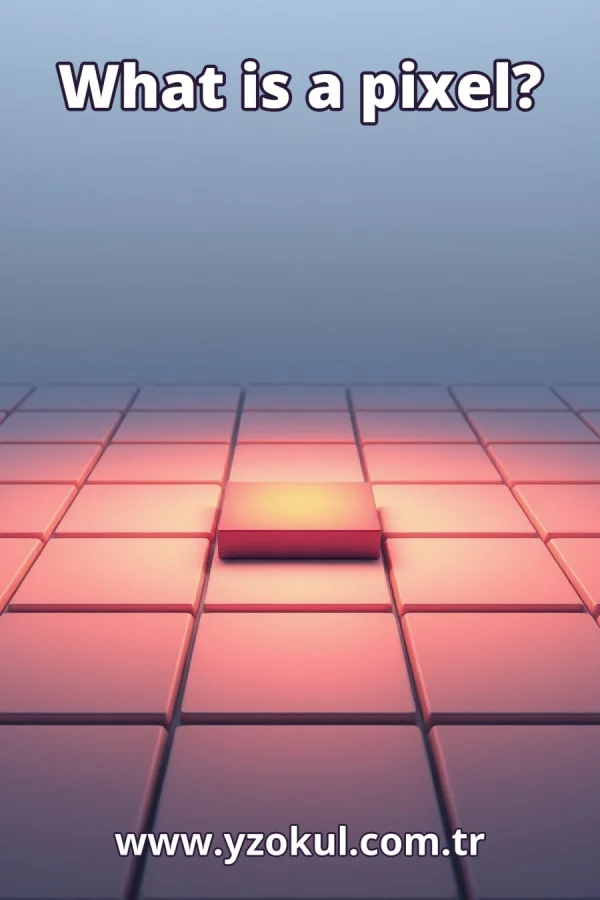
What is a pixel?
www.yzokul.com.tr
- Category AI Resources
- Format PDF
- Size 6.3 MB
- Added 01.11.2026
- Views 2
This educational answer book explains what a pixel is for complete beginners with no prior knowledge. It answers the question by describing a pixel as one sampling point of a digital image that usually carries a color value, and it shows how many pixels together form an image. The book also explains why enlarged photos look blocky, and it clarifies that a pixel's position in the file differs from the area it covers on a screen, so an image can be displayed at different sizes.
Read the Book
If the PDF does not appear, open it in a new tab.
A Chapter from the Book
What is a pixel? www.yzokul.com.tr
What is a pixel? A pixel is one sampling point of a digital image, and it usually carries a color value. Think of it as the smallest unit of information in a picture. Every digital image you see on a screen is built from many such points. This short answer is the foundation for everything that follows. 1
Look at a simple digital image drawn as a grid of tiny squares. Each square in that grid represents one pixel. The grid itself is the image, and the squares are its building blocks. By seeing the image this way, you can understand how pixels are arranged. This grid view makes the idea of a pixel concrete. 2
Zoom in on a single square from the grid. That square holds exactly one color value, such as a specific shade of red or blue. The color value is the only information the pixel carries. It does not store shape or texture on its own. One pixel, one color: that is the key idea. 3
Step back from the grid and look at all the squares together. The many pixels side by side form the whole image you recognize. Each pixel contributes its color to the overall picture. When you view them as a group, the individual squares blend into a continuous scene. Many pixels make a picture. 4
Count how many pixels fit across the width of a small image. For example, an image might be 10 pixels wide. This count shows that the image is made of a fixed number of sampling points along its width. The number of pixels across is part of the image's definition. It tells you how much detail the image can hold horizontally. 5
Now count how many pixels fit down the height of the same image. If the image is 10 pixels tall, then width and height together describe the total number of pixels. For instance, 10 across and 10 down means 100 pixels in total. This fixed count is what defines the image's size in pixels. Width and height are the two dimensions of the pixel grid. 6
Take a small photo and make it much bigger on the screen. As you enlarge it, watch how the picture grows. The pixels themselves do not change; they are simply stretched over a larger area. Enlarging a photo is like zooming in on the grid. The image becomes larger, but the number of pixels stays the same. 7
When you enlarge a photo a lot, each pixel becomes a visible block. This blocky appearance comes from stretching the same pixels over a larger area. You are seeing the individual sampling points as separate squares. The blocks are not a sign of damage; they are just the pixels made bigger. This is why enlarged photos can look blocky. 8
Each pixel has a fixed position in the image file, like a square in a numbered grid. This position is stored data, not a physical size. For example, a pixel might be at row 5, column 3 in the file. That location never changes unless you edit the file. The position is simply where the pixel sits in the grid of data. 9
The area a pixel covers on a screen depends on how the image is displayed. The same pixel can look small on a phone and large on a monitor. This on-screen area is not stored in the file; it is determined by the display settings. So a pixel's screen size is flexible, while its file position is fixed. Keep this difference in mind. 10
Compare the two ideas side by side: the pixel's place in the file and the space it takes on screen are not the same concept. The file position is a fixed coordinate in the data. The screen area is how large that pixel appears when shown. They are related but separate, so do not confuse them. 11
Show one image displayed small and then large. The pixels in the file stay the same in number and position. Only the displayed size changes, because the screen stretches each pixel to a different area. This demonstrates that an image can be shown at various sizes without altering its pixel data. The file remains unchanged. 12
A common mistake is to think a pixel is a fixed physical length like an inch. A pixel is not a unit of length; it is a sampling point. Its on-screen size depends on the display and how the image is shown. On a high-resolution screen, pixels may be tiny; on a large display, they may be bigger. So never treat a pixel as a fixed measurement. 13
Another mistake is to think that blocky pixels when enlarged mean the image is broken. Blocky pixels simply show the sampling points stretched larger. The image is not damaged; you are just seeing the individual pixels. This is normal when you enlarge a photo beyond its native size. The blocks are a natural result of magnification. 14
Pull the ideas together: a pixel is a sampling point with a color value, and many of them build the image. Its file position is fixed data, while its screen area varies with display. Enlarging shows blocks because the same pixels are stretched. Remember that a pixel is not a physical length. These points summarize the whole answer. 15
This section is a preview taken from the book (about 900 words). To continue, read the book or download the PDF.
Book Details
- Book
- What is a pixel?
- Author
- www.yzokul.com.tr
- Category
- AI Resources
- Language
- English
- Format
- PDF · 6.3 MB
- Pages
- 18
- Words
- about 955
- Published
- kaynak.yzokul.com.tr · 01.11.2026
- Access
- Free to read and download; for personal use only, all rights belong to the author.
Frequently Asked Questions
Is the PDF of What is a pixel? free?
Yes. What is a pixel? can be read and downloaded for free on this site; no sign-up or payment is required.
How many pages is What is a pixel??
What is a pixel? has 18 pages and about 955 words.
Which devices can I read What is a pixel? on?
It is a PDF; you can read it in your browser on a phone, tablet or computer, or download it and open it offline.
Who is the author of What is a pixel??
What is a pixel? was written by www.yzokul.com.tr; it is listed in the AI Resources category.
Similar Books
 What is artificial intelligence?
www.yzokul.com.tr
What is artificial intelligence?
www.yzokul.com.tr
 How does an app idea turn into a working program?
www.yzokul.com.tr
How does an app idea turn into a working program?
www.yzokul.com.tr
 How does a three-dimensional printer produce a model?
www.yzokul.com.tr
How does a three-dimensional printer produce a model?
www.yzokul.com.tr
 What is simulation?
www.yzokul.com.tr
What is simulation?
www.yzokul.com.tr
 What is the difference between a microcontroller and a normal computer?
www.yzokul.com.tr
What is the difference between a microcontroller and a normal computer?
www.yzokul.com.tr
 What is a microcontroller?
www.yzokul.com.tr
What is a microcontroller?
www.yzokul.com.tr