
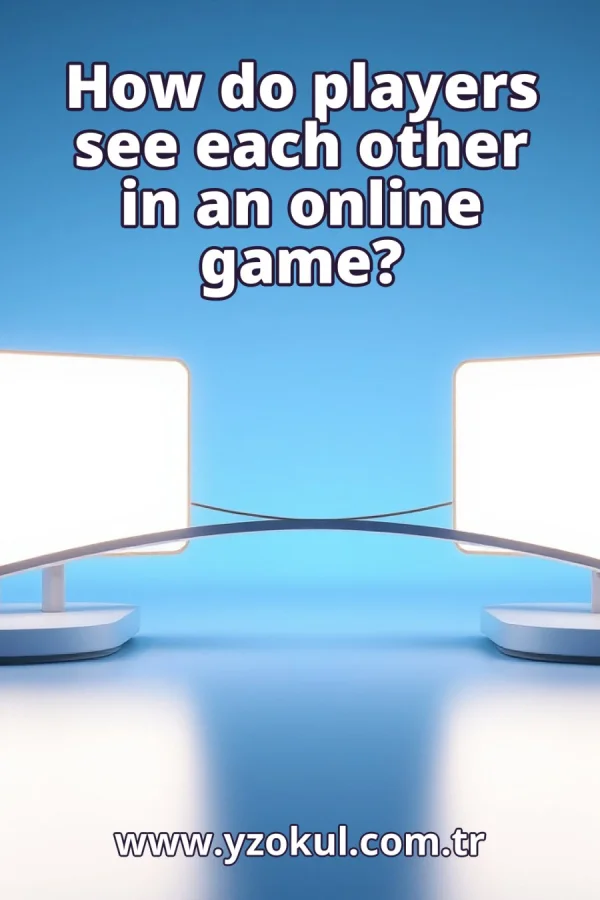
How do players see each other in an online game?
www.yzokul.com.tr
- Category AI Resources
- Format PDF
- Size 6.7 MB
- Added 01.11.2026
- Views 1
This book answers how players see each other in an online game. Starting from zero, it explains that players' devices share information like position and actions over the network, and that a server usually manages the shared game state and sends updates to clients. Because of network latency, players do not receive updates at the same time, so prediction and smoothing methods help. The other player's movement on screen is a representation built from received data.
Read the Book
If the PDF does not appear, open it in a new tab.
A Chapter from the Book
How do players see each other in an online game? www.yzokul.com.tr
You read the question: how do players see each other in an online game? The short answer: each device sends information over the network, and what you see on screen is built from the data you receive. The other player is not directly visible to your device; instead, your device uses messages to create a picture of them. 1
Picture two players on two separate devices, each with its own screen. Neither device can see the other player directly; they can only exchange messages over the network. The network is the connection that carries these messages between devices. Each player sees only their own screen, which shows a representation of the other player based on the messages received. 2
Devices send simple information such as where the player is and what actions they take. This shared information is what makes the other player appear in your game. For example, a device might send the position of its player as coordinates, and your device uses that to draw the other player at the right spot. This information is sent regularly to keep the game up to date. 3
The network is the path messages travel between devices. Every message takes some time to arrive, and this delay is normal, not a bug. This delay is called latency. Latency happens because data must travel through cables, routers, and other equipment. Even though it is small, it is always there and affects how quickly you see updates. 4
In most games, one central computer, the server, keeps the shared game state. It receives updates from players and decides the official situation of the game. The server acts like a referee, making sure all players see a consistent world. It collects information from each player and then sends out the combined state to everyone. 5
The server sends updates about the game state to each player's device, called the client. Your screen shows the other player based on these updates. The server might send the position of all players many times per second. Your client receives these updates and uses them to draw the scene. Without the server, players would have no common view of the game. 6
The client takes the received data and draws the other player on your screen. The figure you see is a picture made from data, not the real person. It is a representation created by your device. The client uses the position and action information to decide where to place the other player's character and what animation to show. This happens continuously as new data arrives. 7
Picture a message leaving one device and arriving a moment later at the other. Because of this delay, called latency, players do not receive information at the same time. For example, when player A moves, player B sees that movement after a short delay. This means the game state you see is always slightly in the past compared to the actual state on the other device. 8
The position you receive for the other player is already a little old. If you drew it exactly as received, the other player would look slightly behind where they really are. This is because the data took time to travel. To make the game playable, games often use methods to compensate for this delay, so the other player appears where they likely are now. 9
Games can guess where the other player is going next, based on the last data received. This prediction fills the gap until fresh data arrives. For example, if the other player was moving right, the game might continue moving them right for a short time. Prediction helps make movement look smooth and responsive despite latency. 10
Sudden jumps in received positions can be softened so movement looks natural. Smoothing spreads the change over a short time instead of snapping instantly. For instance, if a new position is far from the old one, the game might move the character gradually over a few frames. This avoids jarring teleports and makes the other player's motion appear fluid. 11
When new data arrives, the game adjusts the picture to match it. Prediction and smoothing are corrected, so the screen stays close to the real state. If the prediction was wrong, the game gently moves the character to the correct position. This correction is usually small and quick, so you might not notice it, but it keeps the game accurate. 12
The moving figure of the other player is a representation built from received data. It is your device's best picture of them, not a direct view. You never see the actual person; you see a character drawn by your client using the latest information. This representation is updated constantly to reflect the shared game state as accurately as possible. 13
A common mistake is to think you see the other player live and instantly. In reality there is always a small delay between their action and your screen. Even with fast networks, latency exists. So when you see the other player move, you are seeing their past action, not the present. Games hide this delay with prediction and smoothing, but it is always there. 14
Another mistake is to treat your screen as the exact truth. The server holds the official state, and your screen is an estimate built from updates. Your client predicts and smooths to make the game playable, but the server's version is what counts. If there is a disagreement, the server's state is correct, and your client adjusts to it.
This section is a preview taken from the book (about 934 words). To continue, read the book or download the PDF.
Book Details
- Book
- How do players see each other in an online game?
- Author
- www.yzokul.com.tr
- Category
- AI Resources
- Language
- English
- Format
- PDF · 6.7 MB
- Pages
- 18
- Words
- about 992
- Published
- kaynak.yzokul.com.tr · 01.11.2026
- Access
- Free to read and download; for personal use only, all rights belong to the author.
Frequently Asked Questions
Is the PDF of How do players see each other in an online game? free?
Yes. How do players see each other in an online game? can be read and downloaded for free on this site; no sign-up or payment is required.
How many pages is How do players see each other in an online game??
How do players see each other in an online game? has 18 pages and about 992 words.
Which devices can I read How do players see each other in an online game? on?
It is a PDF; you can read it in your browser on a phone, tablet or computer, or download it and open it offline.
Who is the author of How do players see each other in an online game??
How do players see each other in an online game? was written by www.yzokul.com.tr; it is listed in the AI Resources category.
Similar Books
 What is artificial intelligence?
www.yzokul.com.tr
What is artificial intelligence?
www.yzokul.com.tr
 How does an app idea turn into a working program?
www.yzokul.com.tr
How does an app idea turn into a working program?
www.yzokul.com.tr
 What is the difference between virtual reality and augmented reality?
www.yzokul.com.tr
What is the difference between virtual reality and augmented reality?
www.yzokul.com.tr
 How does a three-dimensional printer produce a model?
www.yzokul.com.tr
How does a three-dimensional printer produce a model?
www.yzokul.com.tr
 What is simulation?
www.yzokul.com.tr
What is simulation?
www.yzokul.com.tr
 How does a robot find the shortest path?
www.yzokul.com.tr
How does a robot find the shortest path?
www.yzokul.com.tr