
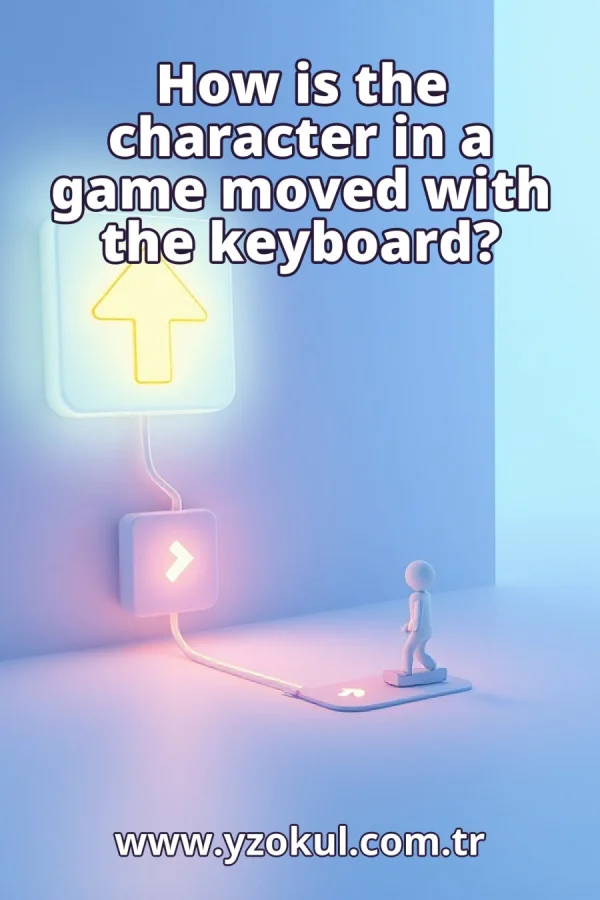
How is the character in a game moved with the keyboard?
www.yzokul.com.tr
- Category AI Resources
- Format PDF
- Size 5.9 MB
- Added 01.11.2026
- Views 1
This book answers how a game character moves with the keyboard. It starts from zero for complete beginners. The program checks keyboard input by detecting key presses or the current key state. When a key like the right arrow is pressed, the character position changes, for example the horizontal movement increases. The book explains that relating movement to elapsed time keeps speed consistent across devices, while a fixed step each frame can change speed when the frame rate changes.
Read the Book
If the PDF does not appear, open it in a new tab.
A Chapter from the Book
How is the character in a game moved with the keyboard? www.yzokul.com.tr
How is a game character moved with the keyboard? The short answer is that the program checks which keys are pressed and changes the character's position based on that. The program receives signals from the keyboard, decides which key is down, and updates the character's position numbers. This book explains each part step by step, starting from zero. 1
Each key on the keyboard sends a signal to the computer when it is pressed. The program can receive these signals as input. These signals are called keyboard input. When you press a key, the computer gets a message that a specific key went down. The program uses these messages to know what the player wants to do. 2
Every key, like the right arrow or the letter A, has its own name or code. The program can tell which specific key was pressed by looking at this name. For example, the right arrow key might have the code ArrowRight. When a key event arrives, the program checks the code to know which key it was. This lets the program respond differently to different keys. 3
The program checks for keyboard events, meaning it waits to hear that a key was pressed or released. This checking is how the program knows the player wants to move. The program listens for these events in its main loop, which runs many times per second. When an event occurs, the program records which key changed and whether it went down or up. 4
A key can be pressed once or held down. The program can check the current state of a key to know if it is still being held. This is called key press detection or checking the key state. If the key is held, the program keeps moving the character. If the key is released, the program stops the movement. 5
The character on the screen has position values, such as a horizontal and a vertical number. Moving the character means changing these numbers. The horizontal position controls left and right, and the vertical position controls up and down. The program stores these numbers and uses them to draw the character at the right place on the screen. 6
If the right key is pressed, the program increases the character's horizontal position. This makes the character move to the right on the screen. For example, if the horizontal position is 100 and the program adds 5, the character moves to position 105. The program does this each time it updates, as long as the key is held. 7
Other keys change the position in other ways. The left key decreases the horizontal position, moving the character left. The up key decreases the vertical position, and the down key increases it, depending on how the screen coordinates work. Each direction key changes a position value in its own way, so the character can move in all directions. 8
The program repeats its checks many times per second in a loop. Each time through the loop, it checks the keys and updates the character's position. This loop is called the game loop or update loop. The number of times the loop runs per second is the frame rate. A higher frame rate means more updates per second. 9
Adding a fixed amount to the position every frame can change the movement speed. If the frame rate changes, the character moves faster or slower than expected. For example, adding 5 pixels per frame at 60 frames per second gives 300 pixels per second. At 30 frames per second, the same step gives only 150 pixels per second. This is the fixed step problem. 10
The program can measure how much time passed since the last update. This elapsed time tells the program how long the movement should be applied. Elapsed time is often measured in seconds or milliseconds. By knowing the elapsed time, the program can adjust the movement to match real time, not just frame count. 11
Movement amount equals speed multiplied by elapsed time. This ties the movement to real time instead of counting frames. For example, if the speed is 200 pixels per second and the elapsed time is 0.016 seconds, the movement is 200 times 0.016, which is 3.2 pixels. The program adds this amount to the position each update. 12
Relating movement to elapsed time keeps the character's speed the same on different devices. A fast device and a slow device both move the character at the same real-world speed. Even if the frame rate drops, the elapsed time increases, so the movement amount increases to compensate. This makes the game feel consistent. 13
A common mistake is moving a fixed step every frame and ignoring time. This makes speed depend on frame rate, which is the problem the elapsed-time method solves. If you always add 5 pixels per frame, the character moves faster on a fast device and slower on a slow device. Always use elapsed time to avoid this. 14
Another mistake is changing position without checking whether a key is pressed. The program must first check the key state, then change the position only when a key is held. If you move the character without checking, it will move all the time, even when no key is pressed. Always check the key state before moving.
This section is a preview taken from the book (about 900 words). To continue, read the book or download the PDF.
Book Details
- Book
- How is the character in a game moved with the keyboard?
- Author
- www.yzokul.com.tr
- Category
- AI Resources
- Language
- English
- Format
- PDF · 5.9 MB
- Pages
- 18
- Words
- about 961
- Published
- kaynak.yzokul.com.tr · 01.11.2026
- Access
- Free to read and download; for personal use only, all rights belong to the author.
Frequently Asked Questions
Is the PDF of How is the character in a game moved with the keyboard? free?
Yes. How is the character in a game moved with the keyboard? can be read and downloaded for free on this site; no sign-up or payment is required.
How many pages is How is the character in a game moved with the keyboard??
How is the character in a game moved with the keyboard? has 18 pages and about 961 words.
Which devices can I read How is the character in a game moved with the keyboard? on?
It is a PDF; you can read it in your browser on a phone, tablet or computer, or download it and open it offline.
Who is the author of How is the character in a game moved with the keyboard??
How is the character in a game moved with the keyboard? was written by www.yzokul.com.tr; it is listed in the AI Resources category.
Similar Books
 What is artificial intelligence?
www.yzokul.com.tr
What is artificial intelligence?
www.yzokul.com.tr
 How does an app idea turn into a working program?
www.yzokul.com.tr
How does an app idea turn into a working program?
www.yzokul.com.tr
 What is the difference between virtual reality and augmented reality?
www.yzokul.com.tr
What is the difference between virtual reality and augmented reality?
www.yzokul.com.tr
 How does a three-dimensional printer produce a model?
www.yzokul.com.tr
How does a three-dimensional printer produce a model?
www.yzokul.com.tr
 What is simulation?
www.yzokul.com.tr
What is simulation?
www.yzokul.com.tr
 How does a robot find the shortest path?
www.yzokul.com.tr
How does a robot find the shortest path?
www.yzokul.com.tr