
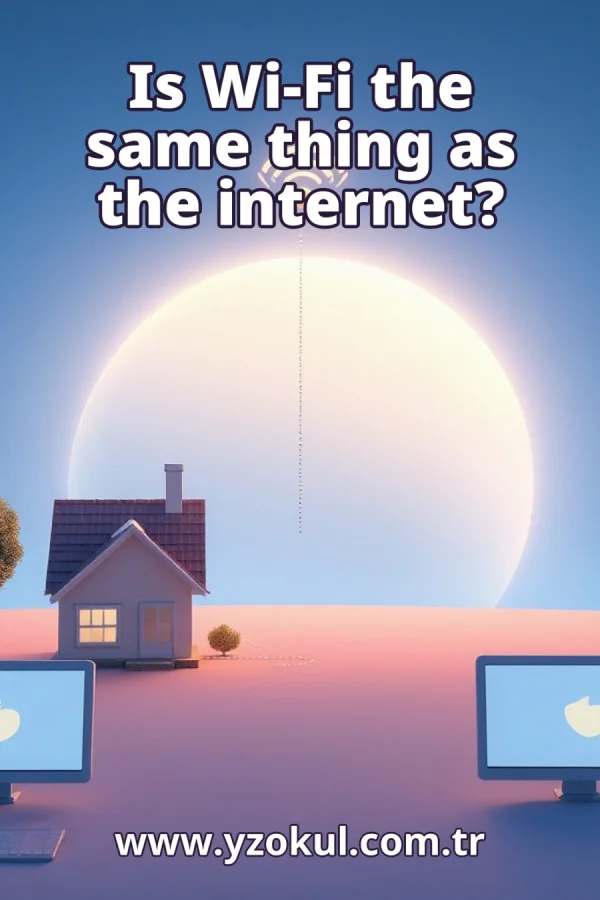
Is Wi-Fi the same thing as the internet?
www.yzokul.com.tr
- Category AI Resources
- Format PDF
- Size 6.8 MB
- Added 01.11.2026
- Views 1
This educational answer book explains whether Wi-Fi and the internet are the same thing, starting from zero for complete beginners. It answers that they are not the same: Wi-Fi is only the wireless connection technology that links nearby devices into a local network, which may or may not reach the internet. The book follows a simple path, showing that two devices can share data without the internet, that a Wi-Fi icon does not prove internet access, and that problems can occur at the network's internet outlet even when the wireless connection works fine.
Read the Book
If the PDF does not appear, open it in a new tab.
A Chapter from the Book
Is Wi-Fi the same thing as the internet? www.yzokul.com.tr
You ask a common question: is Wi-Fi the same thing as the internet? The short answer is no. Wi-Fi is a wireless connection technology, and the internet is a separate, much larger network. They often work together, but they are two different things with two different jobs. Keeping them apart in your mind makes many everyday problems easier to understand. 1
The internet is a huge network of computers and devices connected around the world. It lets faraway devices exchange information with each other, such as messages, web pages and videos. When you open a website, your device talks to another computer somewhere else through this worldwide network. The internet is the big network itself, not a single cable or box in your home. 2
Wi-Fi is a technology for connecting devices wirelessly in a nearby area. It uses radio signals instead of cables to link a device, like a phone or laptop, to a local network. That local network is a small group of devices close together, such as those in one home or office. Wi-Fi handles only that short wireless link, not the whole journey across the world. 3
The internet and Wi-Fi do two different jobs. The internet is the big network itself, while Wi-Fi is only one way to connect to a local network. Think of Wi-Fi as a tool for connecting, not as the internet itself. The tool can be working while the big network is out of reach, and that is exactly why the two words should not be swapped. 4
Picture two devices, like a phone and a laptop, joined by Wi-Fi in the same room. They can share files with each other even when no internet connection exists at all. The local network between them works fine on its own. This shows that a working Wi-Fi connection does not require the internet to be present or reachable. 5
Wi-Fi links your device to a local network, which may or may not lead out to the internet. The wireless link is only the first part of the path your data travels. After the local network, there must be another connection that reaches the wider internet. If that second part is missing or broken, Wi-Fi alone cannot carry you online. 6
Look at the Wi-Fi symbol on a phone. It only means that a wireless connection to a local network exists. It does not prove that the outside internet can be reached. The icon reports the first link, not the whole path. Treat it as a sign that the doorway is open, not as proof that the road beyond it is clear. 7
Imagine a phone showing the Wi-Fi icon while a web page still fails to load. The wireless link to the local network is fine, but the internet is not actually reachable. This happens often and confuses people who trust the icon too much. The symbol tells you one thing only: your device is talking to a local network, nothing more. 8
Picture the local network having an outlet that connects it to the internet, like a router plugged into a service line. A router is the device that directs traffic between your local network and the internet. Even with good Wi-Fi, a problem at this outlet blocks internet access. The wireless part can be perfect while the outlet is unplugged or faulty. 9
The wireless connection and the internet connection are two separate links. One can work perfectly while the other is broken. Your device may sit happily on the local network through Wi-Fi, yet nothing outside can be reached. When something fails, ask which of the two links is actually at fault before changing anything. 10
Devices can also join a local network with a cable instead of Wi-Fi. The internet works the same way over a cable, which shows that Wi-Fi is just one connection method. A plugged-in computer can reach the internet with no wireless signal at all. So the internet does not depend on Wi-Fi; Wi-Fi is simply one option among several. 11
People often say Wi-Fi when they really mean internet, and this habit causes confusion. The two words describe different things even though they are used together all the time. Someone might ask for the Wi-Fi password when they want to get online, mixing the doorway with the destination. Naming each part correctly helps you think and troubleshoot clearly. 12
A common habit is assuming the Wi-Fi icon means you are online. Correct that habit: the icon only reports the wireless link, not the internet connection behind it. A full set of signal bars can sit next to a page that refuses to load. Check whether the internet itself is reachable before blaming the wireless signal. 13
Check the wireless connection and the internet connection as two separate things. If a page fails, the problem could be in either link. First confirm your device is joined to the local network, then confirm that network reaches the internet. Testing each link on its own tells you where the fault really is, so you fix the right part. 14
Picture Wi-Fi as a short bridge from your device to the local network, and the internet as the long road beyond it. The bridge can be fine while the road is closed. This simple picture keeps the two ideas apart: one is a short wireless hop, the other is a long journey. When something breaks, ask whether it is the bridge or the road.
This section is a preview taken from the book (about 925 words). To continue, read the book or download the PDF.
Book Details
- Book
- Is Wi-Fi the same thing as the internet?
- Author
- www.yzokul.com.tr
- Category
- AI Resources
- Language
- English
- Format
- PDF · 6.8 MB
- Pages
- 18
- Words
- about 995
- Published
- kaynak.yzokul.com.tr · 01.11.2026
- Access
- Free to read and download; for personal use only, all rights belong to the author.
Frequently Asked Questions
Is the PDF of Is Wi-Fi the same thing as the internet? free?
Yes. Is Wi-Fi the same thing as the internet? can be read and downloaded for free on this site; no sign-up or payment is required.
How many pages is Is Wi-Fi the same thing as the internet??
Is Wi-Fi the same thing as the internet? has 18 pages and about 995 words.
Which devices can I read Is Wi-Fi the same thing as the internet? on?
It is a PDF; you can read it in your browser on a phone, tablet or computer, or download it and open it offline.
Who is the author of Is Wi-Fi the same thing as the internet??
Is Wi-Fi the same thing as the internet? was written by www.yzokul.com.tr; it is listed in the AI Resources category.
Similar Books
 What is artificial intelligence?
www.yzokul.com.tr
What is artificial intelligence?
www.yzokul.com.tr
 How does an app idea turn into a working program?
www.yzokul.com.tr
How does an app idea turn into a working program?
www.yzokul.com.tr
 What is the difference between virtual reality and augmented reality?
www.yzokul.com.tr
What is the difference between virtual reality and augmented reality?
www.yzokul.com.tr
 How does a three-dimensional printer produce a model?
www.yzokul.com.tr
How does a three-dimensional printer produce a model?
www.yzokul.com.tr
 What is simulation?
www.yzokul.com.tr
What is simulation?
www.yzokul.com.tr
 How does a robot find the shortest path?
www.yzokul.com.tr
How does a robot find the shortest path?
www.yzokul.com.tr