
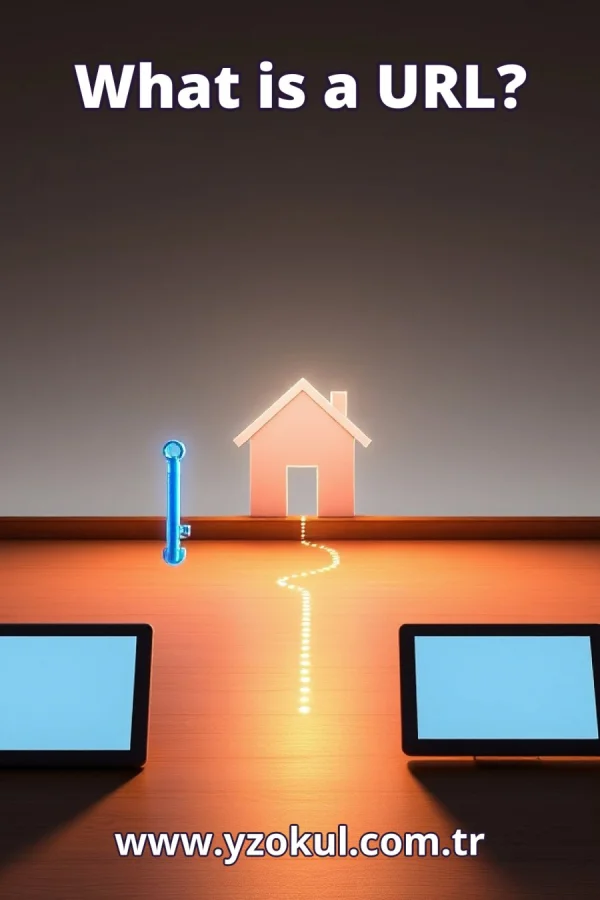
What is a URL?
www.yzokul.com.tr
- Category AI Resources
- Format PDF
- Size 6.7 MB
- Added 01.11.2026
- Views 2
This educational answer book explains what a URL is, answering the question of how a resource on the internet is addressed. It follows a step-by-step path, starting from zero and assuming no prior knowledge. It describes the parts of a URL: the protocol, the server name, the resource path, and sometimes extra query information. It shows that the domain name is only one part of the address, and that small changes in any part can point to a different resource.
Read the Book
If the PDF does not appear, open it in a new tab.
A Chapter from the Book
What is a URL? www.yzokul.com.tr
What is a URL? A URL is the address of a resource on the internet. A resource can be a web page, an image, a video, or any file you can reach online. Just as a street address tells you where a house is, a URL tells your browser where a resource is and how to get it. This book explains each part of a URL step by step, starting from zero. 1
Every resource on the internet needs an address so it can be found. Think of a house: without an address, you cannot tell someone where to go. A web page, a photo, or a document also needs a unique address so your browser can locate it. That address is called a URL, which stands for Uniform Resource Locator. It works like a map reference for the internet. 2
A URL is the complete address written out, not just a name. It tells you where the resource is and how to reach it. For example, `https://www.example.com/books/page1` is a full URL. It includes the method to use, the computer to contact, and the exact resource on that computer. A name alone, like `example.com`, is not enough to find a specific page. 3
A URL has up to four main parts. Look at this example: `https://www.example.com/books/page1?page=2`. The first part, `https`, is the protocol. The second part, `www.example.com`, is the server name. The third part, `/books/page1`, is the resource path. The fourth part, `? page=2`, is the query information. Each part has a different job, and together they form the full address. 4
The protocol comes first in a URL. In `https://www.example.com`, the protocol is `https`. A protocol is a set of rules for how to communicate. It tells your browser which method to use to fetch the resource. Other protocols exist, such as `http` and `ftp`, but `https` is common for secure web pages. The protocol is followed by `://` to separate it from the rest of the address. 5
The server name tells which computer on the internet holds the resource. In `https://www.example.com/books/page1`, the server name is `www.example.com`. This is also called the domain name. It acts like the street address of the computer. Your browser uses it to find the right server among millions of computers connected to the internet. 6
The resource path points to a specific resource on that server. In `https://www.example.com/books/page1`, the path is `/books/page1`. It works like a folder and file name on the server. Different paths on the same server lead to different resources. For example, `/books/page1` and `/books/page2` are two different pages on the same server. 7
Query information can be added at the end of a URL after a question mark. In `https://www.example.com/books?page=2`, the query is `?page=2`. This part gives extra details about what you are requesting. It might specify a page number, a search term, or a language. The query does not change the server or the path, but it can change the content you see. 8
Compare two URLs with the same server name but different paths: `https://www.example.com/books/page1` and `https://www.example.com/books/page2`. The server name is identical, but the paths differ. These URLs point to two different pages. This shows that the path is essential for finding the exact resource. The server name alone does not determine the page. 9
The domain name is only one part of a URL. In `https://www.example.com/books/page1`, the domain is `www.example.com`. But the protocol `https` and the path `/books/page1` are also part of the address. Without them, the address is incomplete. The domain tells you which server, but the other parts tell you how to communicate and which resource to fetch. 10
Changing even one small part of a URL can lead to a different resource. For example, changing `https` to `http` might lead to a different version of the site. Changing `/books/page1` to `/books/page2` leads to another page. Changing `?page=2` to `?page=3` might show different content. Each part has its own role, so no part can be ignored. 11
Practice reading a full URL from left to right. Take `https://www.example.com/books/page1?page=2`. First, the protocol is `https`. Next, the server name is `www.example.com`. Then, the resource path is `/books/page1`. Finally, the query information is `?page=2`. Naming each part in order helps you understand any URL you see. 12
A common mistake is thinking the domain name is the whole URL. For example, someone might say the URL is `example.com`. But that is only the server name. The full URL includes the protocol, like `https://`, and often a path, like `/books/page1`. The correction is to always include all parts when you write or share a URL. 13
Another common mistake is leaving out the protocol or treating it as decoration. The protocol, such as `https`, tells your browser how to reach the resource. Without it, the address is incomplete. For example, `www.example.com/books` is not a full URL because it lacks the protocol. Always start a URL with the correct protocol. 14
A third mistake is assuming small path or query differences do not matter. For example, `/books/page1` and `/books/page2` look similar but point to different pages. Similarly, `?page=2` and `?page=3` can show different content. The correction is to check every character in the path and query, because small differences can lead to a different resource. 15
Remember that a URL is a full address made of protocol, server name, path, and sometimes query information. The domain name is only one part. Small changes in any part can point to a different resource. When you see a URL, read it from left to right and name each part. This understanding helps you navigate the internet with confidence.
This section is a preview taken from the book (about 943 words). To continue, read the book or download the PDF.
Book Details
- Book
- What is a URL?
- Author
- www.yzokul.com.tr
- Category
- AI Resources
- Language
- English
- Format
- PDF · 6.7 MB
- Pages
- 18
- Words
- about 944
- Published
- kaynak.yzokul.com.tr · 01.11.2026
- Access
- Free to read and download; for personal use only, all rights belong to the author.
Frequently Asked Questions
Is the PDF of What is a URL? free?
Yes. What is a URL? can be read and downloaded for free on this site; no sign-up or payment is required.
How many pages is What is a URL??
What is a URL? has 18 pages and about 944 words.
Which devices can I read What is a URL? on?
It is a PDF; you can read it in your browser on a phone, tablet or computer, or download it and open it offline.
Who is the author of What is a URL??
What is a URL? was written by www.yzokul.com.tr; it is listed in the AI Resources category.
Similar Books
 What is artificial intelligence?
www.yzokul.com.tr
What is artificial intelligence?
www.yzokul.com.tr
 How does an app idea turn into a working program?
www.yzokul.com.tr
How does an app idea turn into a working program?
www.yzokul.com.tr
 How does a three-dimensional printer produce a model?
www.yzokul.com.tr
How does a three-dimensional printer produce a model?
www.yzokul.com.tr
 What is simulation?
www.yzokul.com.tr
What is simulation?
www.yzokul.com.tr
 What is the difference between a microcontroller and a normal computer?
www.yzokul.com.tr
What is the difference between a microcontroller and a normal computer?
www.yzokul.com.tr
 What is a microcontroller?
www.yzokul.com.tr
What is a microcontroller?
www.yzokul.com.tr