
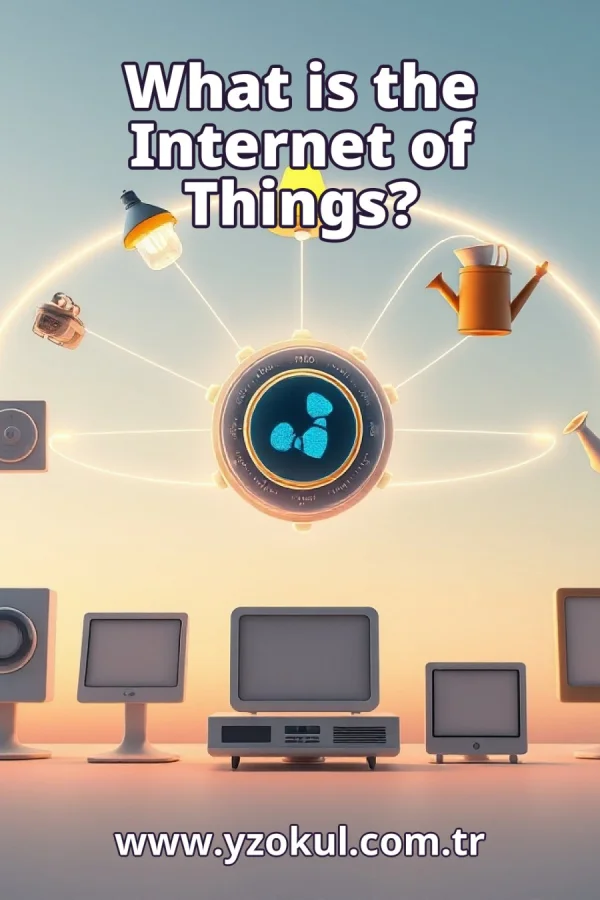
What is the Internet of Things?
www.yzokul.com.tr
- Category AI Resources
- Format PDF
- Size 7.6 MB
- Added 01.11.2026
- Views 1
This book answers the question of what the Internet of Things is, explaining it from zero for complete beginners. It follows a simple path: physical devices with sensors share data over a network or are controlled remotely, using an irrigation system as an example that measures soil moisture and starts watering automatically. It also explains that devices do not need to connect directly to the general internet, since an intermediary center can be used, and that hardware, communication and software work together.
Read the Book
If the PDF does not appear, open it in a new tab.
A Chapter from the Book
What is the Internet of Things? www.yzokul.com.tr
The Internet of Things is the approach in which physical devices share data over a network or are managed remotely. In short, everyday objects can measure something, send that information, and sometimes act on their own. This book answers one question: what is the Internet of Things? You will build the answer step by step, starting with the devices themselves and ending with a clear, complete picture. 1
Look around you: lamps, thermostats, and watering systems are physical things you can touch. These are the kinds of devices the Internet of Things is about. They are not websites or apps; they are real objects in the physical world. When such an object can share data or be controlled from elsewhere, it becomes part of the Internet of Things. 2
A device can carry a sensor, which is a small part that measures something real. For example, a soil moisture sensor measures how wet or dry the soil is. The sensor turns that physical condition into data, which is information a computer can read. So a sensor is the starting point: it turns the real world into numbers or signals that can travel. 3
The measured data is sent over a network, which is a connection that lets devices exchange information. The network can be wired or wireless, short-range or long-range. Sharing data is what connects the device to the rest of the system. Without a network, the sensor reading would stay inside the device and nothing else could use it. 4
The data arrives in an application, which is software that shows or stores the information. For example, the application might display the soil moisture on a screen or keep a record over time. The application is the software side that uses the data. It turns raw sensor readings into something you or another program can understand and act on. 5
Put the pieces together with an irrigation system. A sensorequipped irrigation system measures the moisture of the soil and sends it to an application. The application receives the reading and can decide what to do next. This one example shows the whole idea: a physical device, a sensor, a network, and software working as one system. 6
The system can also start irrigation under certain conditions, without a person pressing a button. For example, when the soil becomes too dry, the application sends a command and the watering mechanism turns on. This automatic control is part of the Internet of Things. The device acts on the data it receives, following rules set in software. 7
A person can also manage the same device remotely from somewhere else. For example, you could check the soil moisture on your phone and start watering yourself. Managing devices from a distance is the other half of the short answer. Remote control means you do not need to stand next to the device to operate it. 8
The name Internet of Things is broader than a direct internet connection. A device does not have to connect directly to the general internet to be part of the Internet of Things. It can use a local network or a private link instead. What matters is that data is shared or the device is managed remotely, not the exact path the data takes. 9
An intermediary center can stand between the devices and the wider network. Devices talk to this center, and the center passes data along or sends commands back. For example, a small hub in a building can collect readings from many sensors. So devices can talk to this center instead of connecting directly to the internet. 10
Look at the physical parts of the system, called hardware. The sensor and the watering mechanism are hardware, along with wires and the device body. Hardware is the tangible side that touches the real world. It measures conditions and performs actions, but by itself it cannot decide anything. 11
Communication is the link that lets hardware and software exchange data. It carries sensor readings from the device to the application and carries commands back. For example, a wireless link can send the soil moisture value to a nearby hub. Data has to travel between parts for the system to work, and communication makes that travel possible. 12
Software holds the instructions that receive data and decide what to do. For example, the software may contain a rule: when soil moisture is below a certain level, start watering. Software holds the rules, like when to start watering, and it can also store history and show reports. It is the thinking part of the system. 13
Put hardware, communication, and software side by side in one picture. Hardware measures and acts, communication carries the data, and software decides and records. The Internet of Things only works when all three work together. If one part is missing, the system cannot measure, send, or act as a complete whole. 14
A common mistake is thinking every device must connect to the general internet. Check this: a device can send its data to an intermediary center instead. That center can then forward the data or manage the device. So a direct internet connection is not required, and the Internet of Things still works with local or private networks. 15
Review the whole answer in one view. Physical devices with sensors share data over a network or are managed remotely. An irrigation system that measures soil moisture and starts watering automatically shows the idea. Hardware, communication, and software work together, and an intermediary center can replace a direct internet connection. Keep the irrigation example as the thing to remember.
This section is a preview taken from the book (about 943 words). To continue, read the book or download the PDF.
Book Details
- Book
- What is the Internet of Things?
- Author
- www.yzokul.com.tr
- Category
- AI Resources
- Language
- English
- Format
- PDF · 7.6 MB
- Pages
- 18
- Words
- about 944
- Published
- kaynak.yzokul.com.tr · 01.11.2026
- Access
- Free to read and download; for personal use only, all rights belong to the author.
Frequently Asked Questions
Is the PDF of What is the Internet of Things? free?
Yes. What is the Internet of Things? can be read and downloaded for free on this site; no sign-up or payment is required.
How many pages is What is the Internet of Things??
What is the Internet of Things? has 18 pages and about 944 words.
Which devices can I read What is the Internet of Things? on?
It is a PDF; you can read it in your browser on a phone, tablet or computer, or download it and open it offline.
Who is the author of What is the Internet of Things??
What is the Internet of Things? was written by www.yzokul.com.tr; it is listed in the AI Resources category.
Similar Books
 What is artificial intelligence?
www.yzokul.com.tr
What is artificial intelligence?
www.yzokul.com.tr
 How does an app idea turn into a working program?
www.yzokul.com.tr
How does an app idea turn into a working program?
www.yzokul.com.tr
 What is the difference between virtual reality and augmented reality?
www.yzokul.com.tr
What is the difference between virtual reality and augmented reality?
www.yzokul.com.tr
 How does a three-dimensional printer produce a model?
www.yzokul.com.tr
How does a three-dimensional printer produce a model?
www.yzokul.com.tr
 What is simulation?
www.yzokul.com.tr
What is simulation?
www.yzokul.com.tr
 How does a robot find the shortest path?
www.yzokul.com.tr
How does a robot find the shortest path?
www.yzokul.com.tr